
FOREX Copy Trading System
This is an operating system that amplifies your money to hedge against inflation and support your livelihood.
You aren’t just losing your money to inflation, you are losing your time to a broken system when you could be spending more time offering your passions to the world.
You’ve seen the poor rate of returns in your savings account. You have watched your purchasing power dwindle. You are ready to earn true passive income off of your cash.
What is this strategy?
Three German traders, trading since the 2010s in the forex gold/ USD market
Scalping - in and out same day, no overnight positions, one single trade at a time with airtight risk management
The Returns
Conservative targets: 0.5-1.8% per month off amplified account
12x or 24x funded account leverage means 10-25% monthly off your principal
You keep 70%, traders get 5%, 25% goes to profit share within the community
The Problem + Solution
Traders were losing their Intellectual property when sharing their trades inside their copy trading platforms -> This “black box” technology solved the IP theft problem
People would impersonate them and capitalize off their skills -> Entry into trades is now hidden, but exit is transparent and now attracts some of the world's top traders
Copy trading of this type was only reserved for the ultra wealthy -> Trading Pools allow for large capital so you can invest as little as $10 to begin with
Tune into the video below to learn more.
Let's Get You Onboarded Into AI Tech + Tag So Your Money Can GROW
ONBOARDING: STEP BY STEP
There are 2 portals you'll be using and setting up:
1) COPYX/IB PORTAL (houses all the affiliate aspects, Bit1 crypto exchange, and future BIX spending card) (US customers select Paraguay as your country, you can use your same phone number).
2) TAG Markets (for all trading aspects).
a) Create an account on the IB portal by using this link.
b) Complete information on the form and register
c) Verify your email by checking your inbox and clicking the verification link that was sent to
you
d) Continue to login to the IB portal/COPYX back office
e) In the 'Profile' section you will scroll down and see a 'COPYX Registration' area, click the 'Register
COPYX' link
f) Then click 'register copyx'
g) You will receive an email with instructions to finalize account setup via TAG Markets
h) Complete TAG Brokerage KYC (TAG Portal)
- if you are planning to use a US based ID for KYC then select Paraguay as your
country/location in the drop down menu for BOTH platforms (you can upload a US license for now + then reupload a PALAU ID when you get one here), otherwise select the country you are located in
- complete face & ID scan
A video of all the above steps is here.
i) Deposit funds to main wallet (see video below)
- crypto no fees, conventional 6% fee (if US based, probably no link to banking given
jurisdiction. In general, many cards flag this so fraud alert confirmations are expected, and
rarely / worst case, blocks altogether due to policy friction)
- accepted crypto for deposits include: BTC, ETH, SOL, BNB, USDC (ETH), USDT (ETH, BSC, TRX)
Do not buy anything inside tag yet… Just deposit the $10 ($20 if you want two 24x accounts so you can use one to recompound gains)
j) Reach out to Kat inside our private telegram group here and to setup your SONIC 24X (amplified account)- funds should now be showing in the main wallet (balance at the top right of the screen). Have a minimum of $10, recommended minimum $20.
k) Order RNS ID (US only)
- order this digital residency and update KYC inside your portal once you have the physical card
Join Kat's private telegram group here for ongoing support.
Deposit Funds To Main Wallet
Purchasing With Crypto
There are various crypto exchanges you can use to purchase crypto and send to tag. There are many reasons to utilize crypto as well. It is the new financial system. You save on bank fees. You can off board to crypto rather than your bank and save fees that way as well. Crypto allows you to become your own bank (if you are utilizing warm or cold wallets and NOT centralized exchanges to hold your money) which means you always have access to your funds.
For our purposes here you will only be utilizing crypto as an intermediary - to bring money in and send to tag. Crypto requires education and self responsibility.
KRAKEN
Easiest and cheapest way is to set up a kraken account and wire funds from your bank.
Join Kraken through this link.
Complete KYC (Know Your Client) verification before you send money.
Once you have your account verified you can begin with the wire (must be a domestic wire not ACH transfer)
To perform a wire deposit on Kraken, follow these steps:
Sign in to your Kraken account.
Navigate to the Deposit section via the Transfer tab or the left sidebar.
Select your currency (e.g., USD, EUR) for deposit.
Choose Manual bank transfer as your deposit method.
Copy Kraken's bank details provided for the transfer.
Log into your online banking or in person banking and initiate the wire transfer using the copied details.
Ensure your Kraken account is verified to be eligible for wire deposits.
After that you will convert the money you sent to USDC (stablecoin) and use that to deposit to TAG.
Once inside TAG you can send $10-$20 initially to test. Click DEPOSIT on top right type Other Amount $10. Click crypto and submit. Scroll down to USDC (or if you have another crypto such as Bitcoin or Ethereum, select that) and you will get a temporary wallet address. See video above on depositing via crypto because you want to ensure you do this step correctly to avoid losing your funds.
Head into your crypto wallet or exchange, such as Kraken, copy the address TAG gave you and send the right crypto you chose to your TAG wallet. Then copy the exact crypto amount that is displayed with your temporary wallet and paste that into the amount to send (video above).
Send your crypto and when you go into tag, the generated wallet will say "payment found" then "payment successful". Leave the screen open until it says this.
COINBASE
The other alternative is to utilize coinbase here. The most immediate route for me is to purchase crypto using PayPal (which is then linked to my bank in the backbend). The daily limits are lower but is often available immediately to send (confirm this before purchase - should say available to send and transfer instantly). It is a great option if you can't get to your bank to do a wire.
If you are bringing in more than a $1000 it is worth it to get a coinbase one $30 monthly account as you can purchase $10k fee free per month. Simply cancel the subscription when you are done onboarding money.
If you are purchasing USDC you just need to ensure you have a bit of Ethereum to pay for the transaction fee upon send.
WARM WALLETS
For added security I recommend getting a warm wallet such as https://metamask.io/ This one holds Ethereum/USDC and bitcoin along with others. This is to ensure centralized exchanges don’t freeze your funds as they are becoming more strict.
You will basically send your crypto to metamask first and then to tag. This ensures the centralized exchange doesn’t flag your send to another exchange such as tag, just like in the above video.
If you just are using ETHEREUM and USDC then you can use rabby wallet here https://rabby.io
You just have to ensure you have a bit of Ethereum inside Rabby to send USDC.
Centralized Exchange Walk Through To Purchase With Crypto
Inside this video you will go through the in's and out's of depositing via crypto
Meta Trader 5
The final step to watch the trades in real time is to Install Meta Trader 5 app on phone
search for Meta Trader 5 in the app/play store
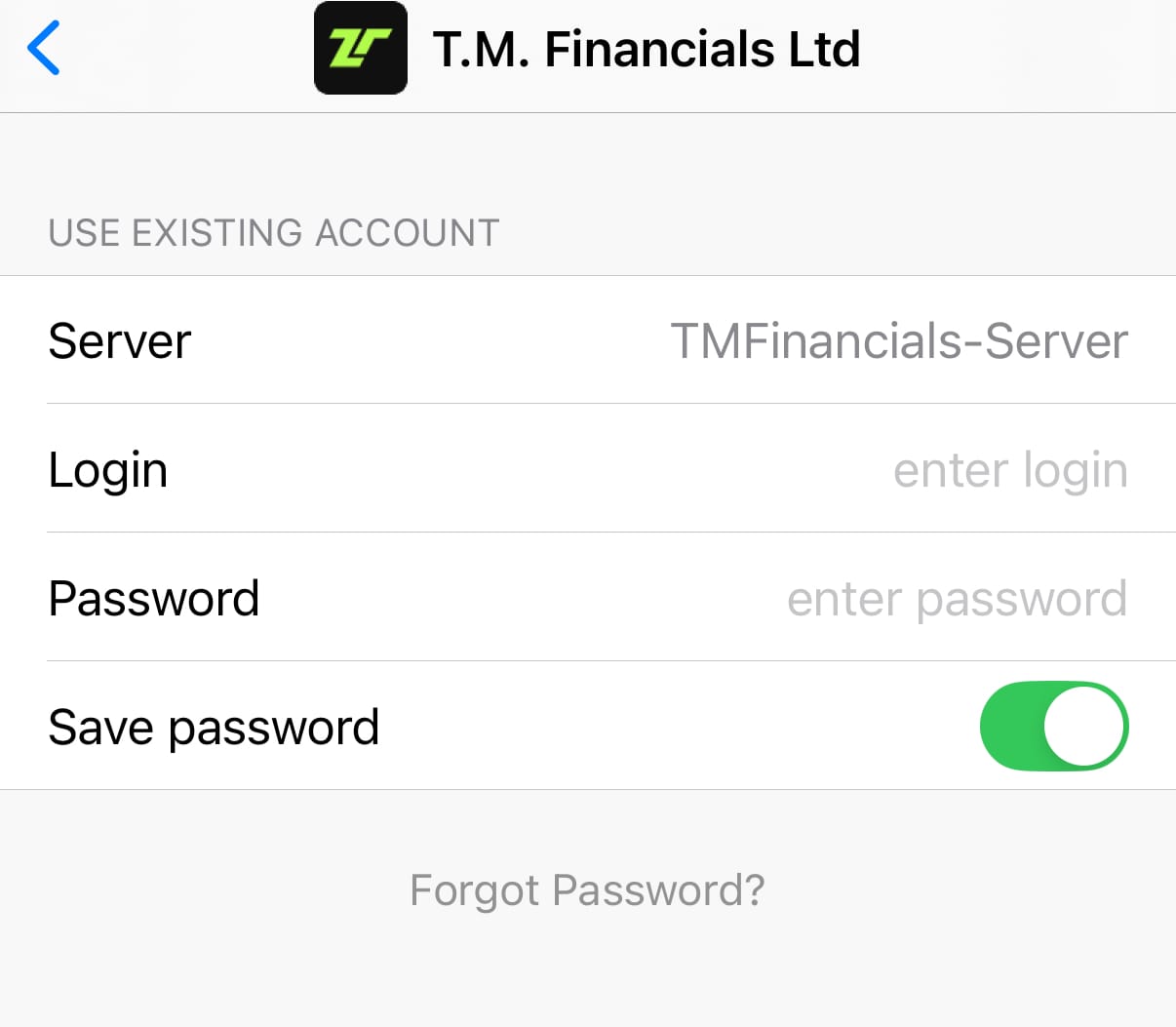
Search T.M. Financials. Your Username and Password is inside your tag portal under your specific strategy.
Log into Tag > CopyX > FollowerHub > Strategies. Look for the eyeball button under credentials.
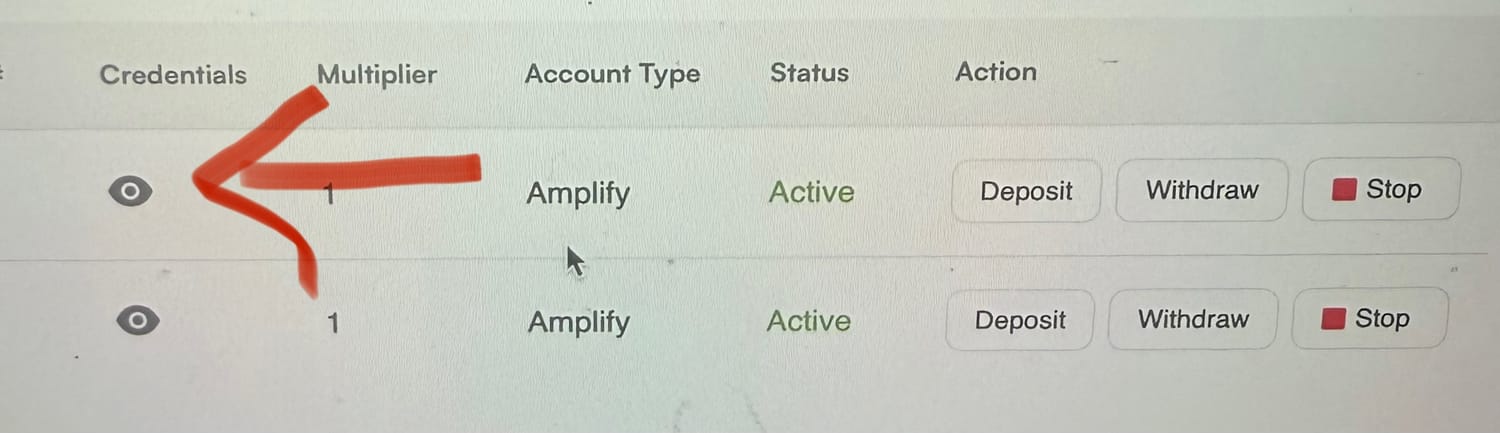
Login for T.M. Financials is Account# and password is Master Password from credentials above.
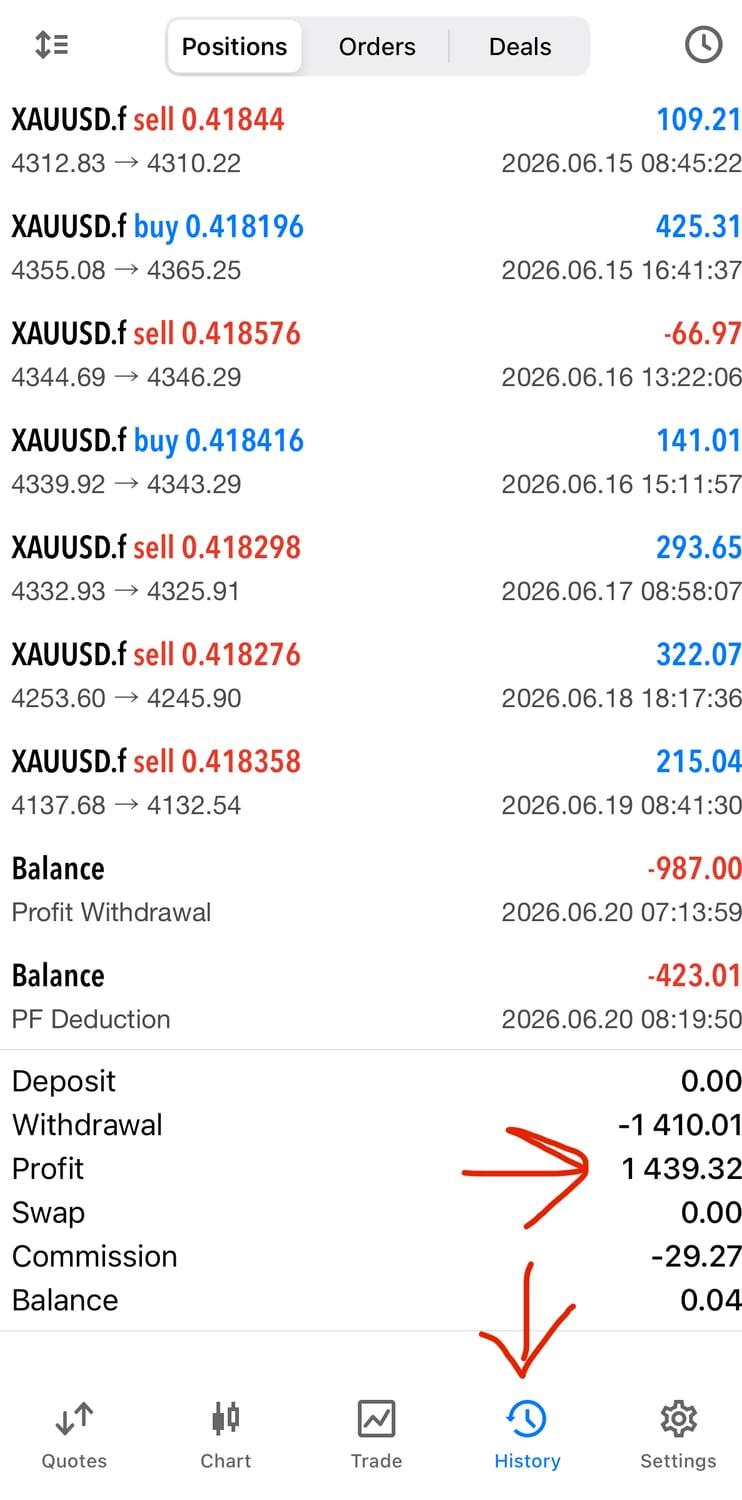
Then you can follow your trades. This is a read only account. Do not do anything inside of it other than watch trades. Your takeaway for the profits you see on Meta Trader are 70% of the total (5% goes to traders, 25% to affiliate plan).
You Did It!
Congrats! You have successfully onboarded. This is the most work you will have to do. Once your money is inside the strategy you only have to decide what to do with profits!
If you have any questions please feel free to reach out to me in the telegram group here. I cannot wait to see you inside!


